Know the moment your network has a problem.
Real-time ping monitoring, alerts, and diagnostics for your home or business network — self-hosted, so your monitoring data never leaves your control.
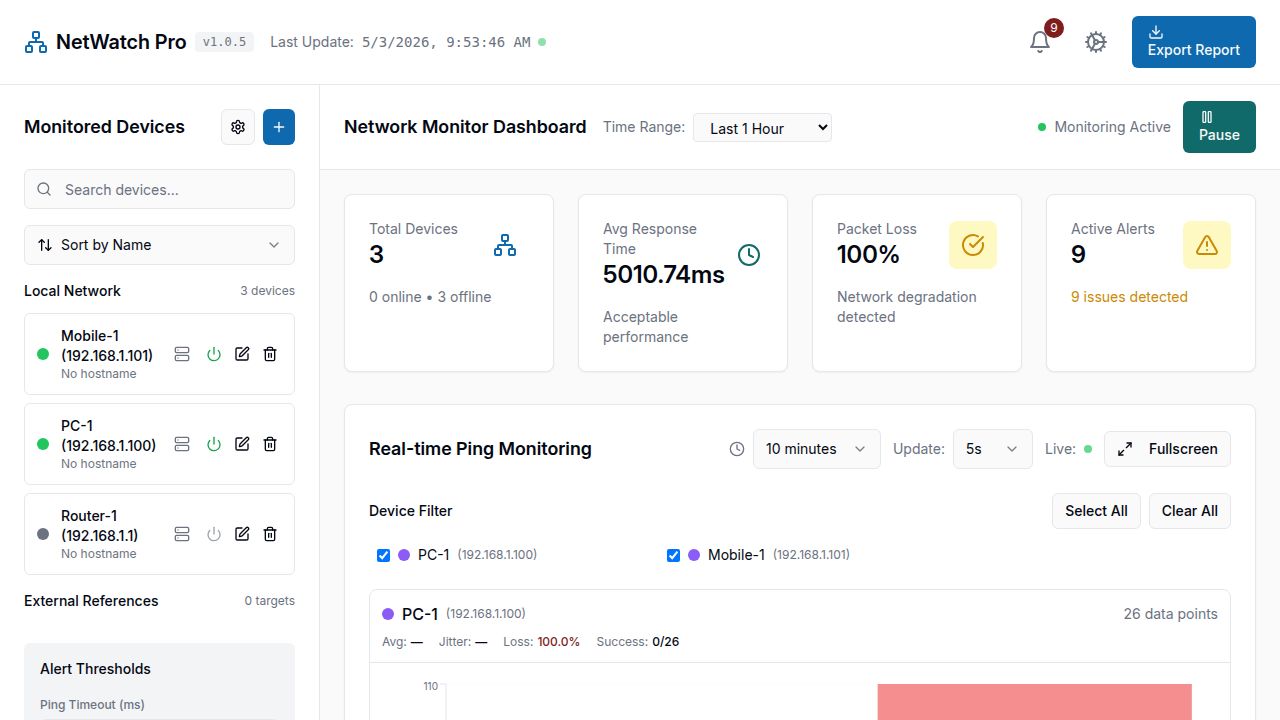
Real-time ping monitoring, alerts, and diagnostics for your home or business network — self-hosted, so your monitoring data never leaves your control.
Not a toy — a real monitoring tool that reports what's actually happening on your network, in real time.
Live charts per device with response time, jitter, and packet loss — updates as fast as every few seconds.
Get notified the moment a device goes down or latency crosses a threshold you set.
Scheduled or on-demand speed tests (Ookla or speedtest-cli), with history and trend charts.
Track per-resolver, per-hostname DNS latency — spot a slow or failing resolver before it costs you.
Run lightweight agents on other machines (Windows, Linux, Raspberry Pi) to monitor multiple network segments or remote sites from one dashboard.
Runs on your own hardware. No cloud account required, no third party sees your network topology.
One package, every platform — pick the role for the machine you're installing it on.
It's one download for every role — the package contains the full app plus a setup script per platform. Extract it, then run the script matching what you're setting up:
deploy-windows-primary.ps1 — Windows, run as the main dashboard
deploy-windows-agent.ps1 — Windows, run as a remote agent
deploy-linux-agent.sh — Linux or Raspberry Pi, run as a remote agent
Each script installs dependencies, builds the app, and starts it — see RASPBERRY_PI_DISTRIBUTED_DEPLOYMENT.md in the package for a full walkthrough of running a Pi 4 primary with Pi Zero agents.
Requires Node.js 20+. The primary dashboard needs PostgreSQL (local or cloud) for persistent history; agents run fine without one.